
A single still image can already carry a lot of creative direction: product shape, lighting, character design, color palette, brand mood, or the emotional tone of a scene. The harder part is turning that direction into motion without losing the idea that made the image useful in the first place. That is why image-to-video tools have become so interesting for marketers, designers, educators, and small creative teams. They do not replace planning, but they can make the jump from concept to moving visual much faster.
For years, short video production required a familiar chain of work. A team needed a storyboard, a shoot or animation pass, editing time, revision cycles, and usually a budget that limited how many ideas could be tested. That process still matters for polished campaigns. But many teams now need motion earlier, before they are ready to commit to a full production. They may want to test whether a product photo would work as a launch clip, whether a character design can carry a story scene, or whether a simple campaign visual has enough energy for a social post.
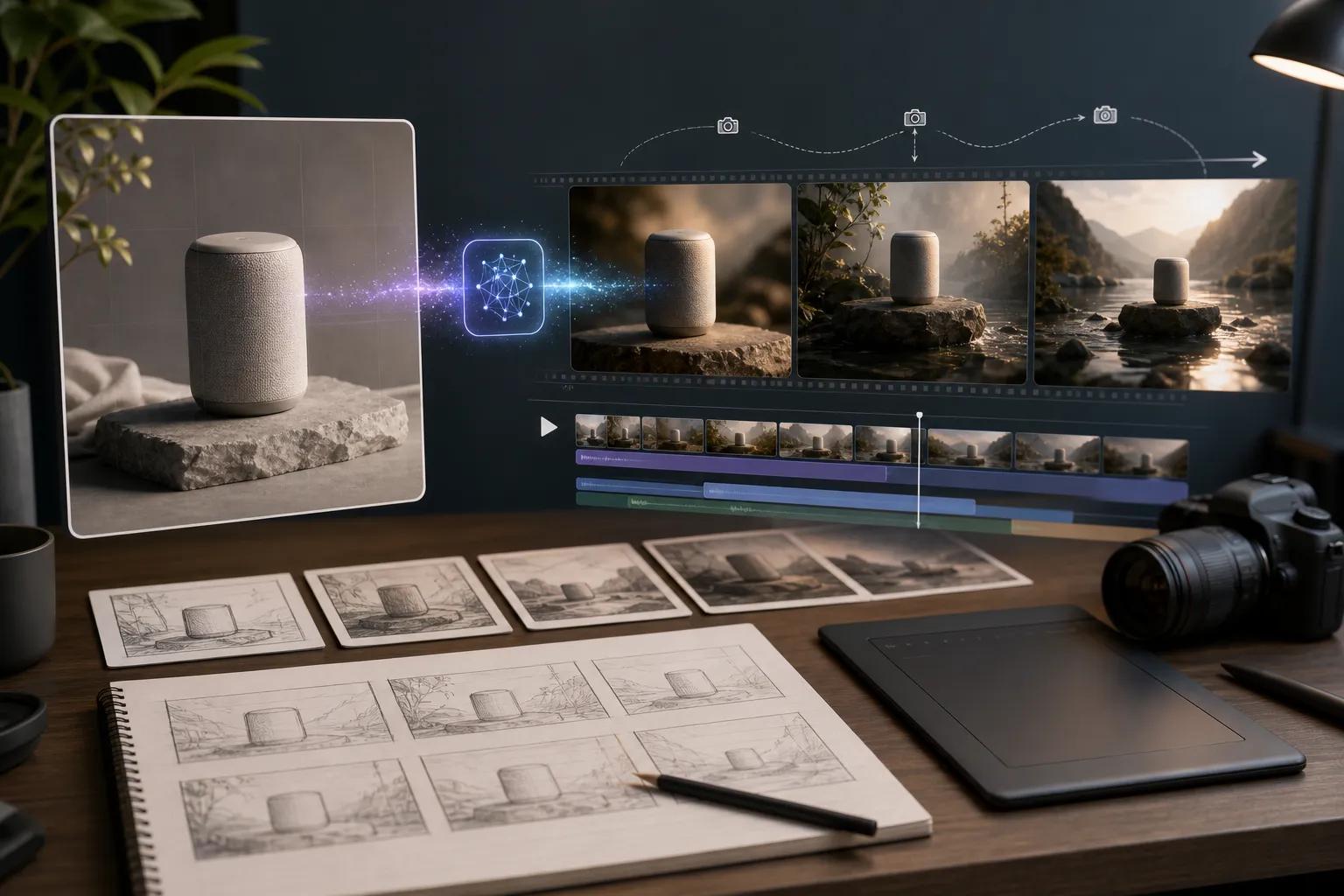
Image-to-video generation fits naturally into that early planning stage. Instead of starting from a blank timeline, the team starts from a visual reference. The image provides the subject, composition, style, and mood. The prompt then describes what should happen: a slow camera push, a product rotation, a breeze moving through the background, a character turning toward the camera, or a more dramatic cinematic transition. This workflow gives creators a practical middle step between a static mockup and a finished video asset.
The most useful results usually come from being specific without overloading the prompt. A prompt such as make this exciting leaves too much open to interpretation. A better direction might describe the camera, subject movement, pace, light, and atmosphere. For example, a product image might become a short launch clip with a slow dolly-in, soft reflections, subtle particles, and a clean studio background. A travel photo might become a calm cinematic scene with moving clouds, foreground depth, and a gentle pan. The difference is not only visual quality; it is creative control.
This is where tools like Image to Video AI can be helpful in a real workflow. A browser-based generator lets users upload a reference image, describe the desired motion and camera behavior in natural language, and create short video clips for product marketing, social media, storytelling, or concept previews. Because the workflow begins with an image, the team can preserve more of the original visual intent while still exploring movement, timing, and atmosphere.
For marketing teams, this can reduce the friction around testing ideas. A product manager may want to compare three possible visual directions before briefing a designer. A social media team may need several short clips from existing campaign stills. A founder may want a quick animated preview for a landing page section. In each case, the goal is not necessarily to produce the final campaign asset immediately. The value is speed: seeing motion early enough to make better decisions.
Designers can also use image-to-video tools as a bridge between static composition and motion language. A still frame may look strong, but motion reveals other questions. Does the subject remain readable when the camera moves? Does the background help or distract? Is the pacing too slow for a short-form post? Does the lighting change in a way that supports the story? By generating quick motion drafts, designers can notice these issues before they spend time building a more finished animation.
The same applies to character and story work. Concept art often shows the look of a world, but movement helps clarify personality and mood. A portrait can become a subtle reaction shot. A fantasy environment can show drifting fog, falling leaves, or shifting light. A scene sketch can become a preview of camera direction. These are small tests, but they help creators communicate ideas more clearly with collaborators, clients, and audiences.
Of course, image-to-video generation still needs thoughtful review. Creators should check for visual consistency, unwanted changes, awkward motion, brand safety, and usage rights. The uploaded image should be one the team has permission to use, and generated clips should be reviewed before publishing. A strong workflow treats AI output as a draft that needs human judgment, not a finished answer that can be posted without inspection.
The best use of these tools is practical and iterative. Start with a clear image. Write a prompt that describes motion, camera, atmosphere, and purpose. Generate a short version first. Review what worked and what drifted. Then refine the prompt or reference image. Over time, teams build a small vocabulary for the kinds of motion that fit their brand or creative style.
Image-to-video tools are becoming part of everyday creative planning because they make motion easier to test. They help teams move from a still idea to a watchable draft, from a product photo to a campaign concept, and from a visual reference to a short scene with mood and direction. Used carefully, they give creators one more way to think visually before production begins.